- Blog
- 01.09.2025
- Product, Leveraging AI
Copilot - AI Assistance for Coding and Pipeline Configuration

This series highlights the powerful, user-friendly features of Matillion’s ETL platform for users from non-technical backgrounds.
Introduction
As a Data Engineer apprentice transitioning from a non-technical background, I’ve experienced first-hand the steep learning curve many encounter when stepping into Data Engineering. Tools like Matillion’s Data Productivity Cloud (DPC) have been invaluable in bridging that gap, offering low/no-code solutions to simplify complex data workflows.
This blog series will focus on how Matillion DPC empowers users with limited technical skills to build, debug, and document data pipelines efficiently. Over the next month, I’ll share insights into its most impactful features and how they’ve helped me and my team.
Part 1 | Copilot - AI Assistance for Coding and Pipeline Configuration
Part 2 | Auto-Documentation and Collaborative Features: Check it out here!
Part 3 | Intuitive UI for Debugging and Validation: Check it out here!
Part 4 | Drag-and-Drop Features for Effortless Design (coming soon)
Part 1: Copilot - AI Assistance for Coding and Pipeline Configuration
Leveraging AI within Matillion DPC to bridge the gap between traditional data engineering and low-code/no-code users, for assistance with building data pipelines.
Personal Experience Without DPC
As a Data Engineer apprentice transitioning from a non-technical background, the thought of building data pipelines entirely from scratch was intimidating. I lacked both the technical knowledge of coding languages like Python and SQL and the practical experience required to design and implement data pipelines effectively. Although I knew the outcome I wanted and how the transformed data should look, the gap between my vision and the technical execution felt insurmountable. The steep learning curve involved in researching, writing, and debugging code consumed hours of effort and often left me frustrated.
That all changed when I started using Matillion’s Copilot.
Introducing Copilot
With Matillion’s DPC, which incorporates Copilot - an AI-powered assistant - the process of creating data pipelines is simplified by:
- Suggesting relevant components and sequencing them correctly.
- Generating SQL expressions tailored to your pipeline's needs.
- Allowing users to create pipelines using plain language instructions.
Copilot serves as a helpful guide throughout your data pipeline journey, offering step-by-step support and explanations. Beyond basic recommendations, it adapts to user inputs, ensuring flexibility for diverse use cases, whether you're a beginner or an experienced data engineer seeking efficiency.
How Copilot Works
The interaction with Copilot is straightforward and intuitive:
- User Prompts: Users provide instructions or questions directly in Copilot’s chat interface to guide pipeline creation.
- AI-Driven Suggestions: Copilot utilizes its understanding of Matillion’s platform and common data transformations to suggest components, such as filtering or aggregation.
- Pipeline Configuration: Copilot generates metadata for transformation components, including column names, data types, and precision levels, based on user input.
- No Data Access: Importantly, Copilot does not access data stored in your warehouse; it relies on pipeline configurations and column metadata already present on the canvas.
- Iterative Improvements: Users can refine pipelines by asking follow-up questions or providing additional instructions, making Copilot a dynamic partner throughout the process.
Real-World Example
Let’s explore an example where Copilot is used to streamline a data pipeline:
Objective: Categorise travelers’ ages into groups (Youth, Young Adult, Adult, Middle Age, Senior), cand alculate the total trip cost, and average daily trip cost per traveler.
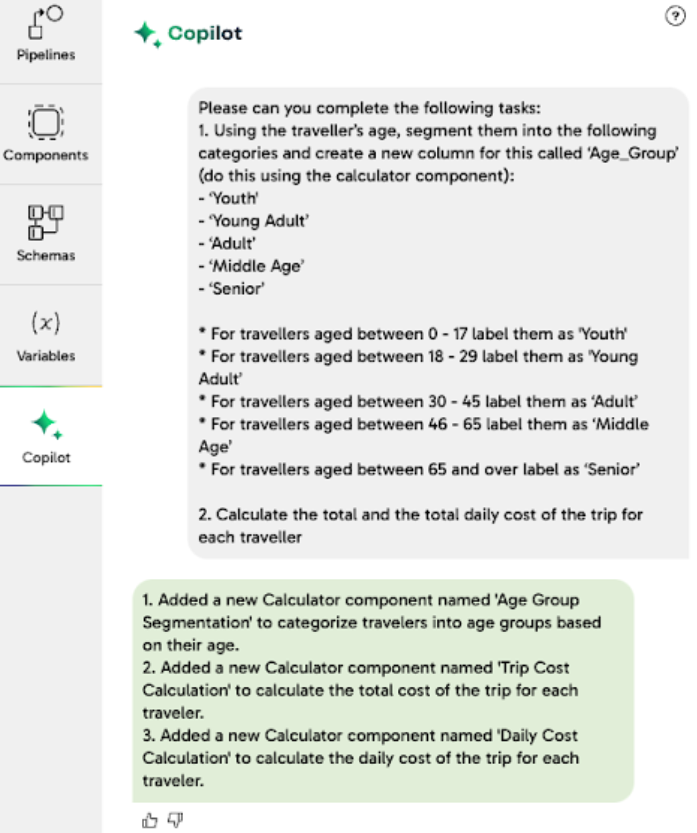
1.User Input: A plain language request is sent to Copilot via the side panel.
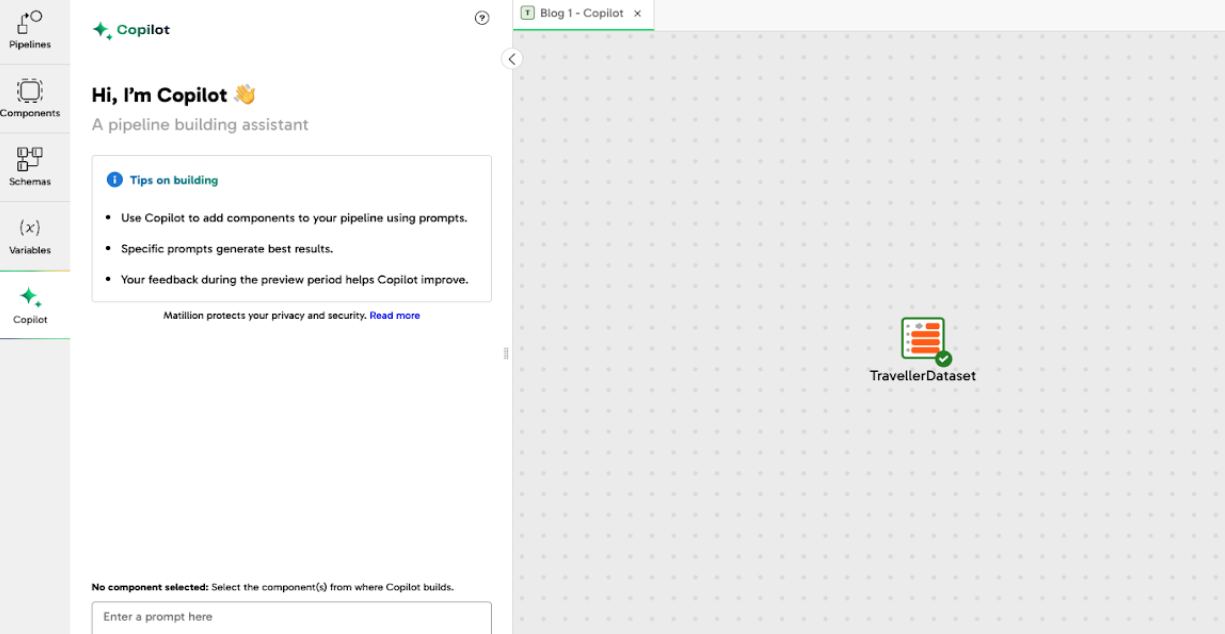
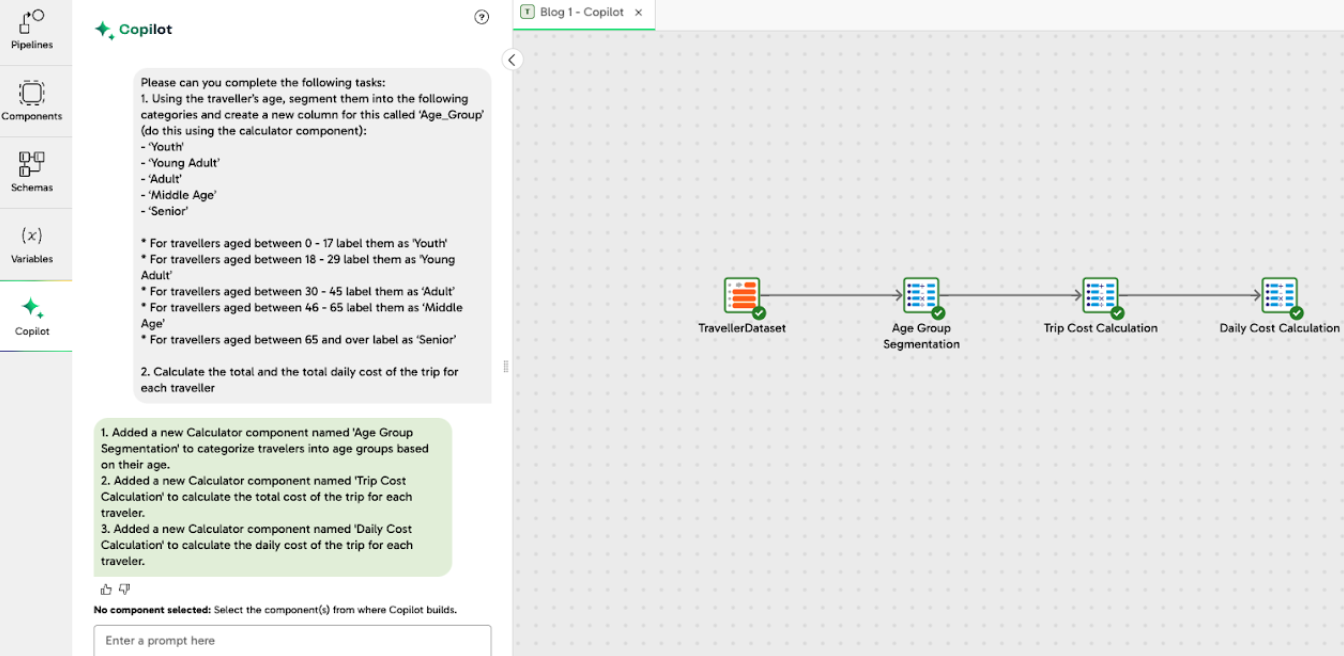
2. Pipeline Construction: Copilot interprets the input, selects appropriate components, and builds a validated data pipeline.
*The green validation tick confirms the pipeline is correctly configured and functional.
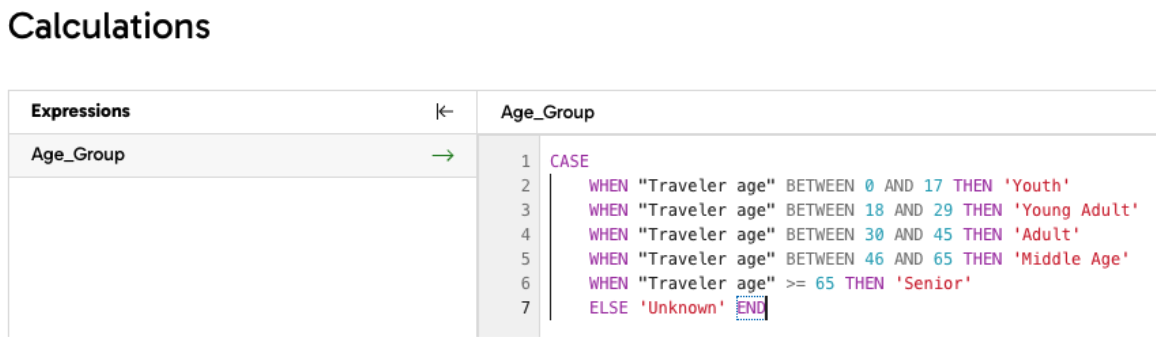
3. Detailed Feedback: Copilot explains the role of each component in the pipeline. For instance, SQL expressions in calculator components are auto-generated and can be further refined using Copilot’s built-in assistance.
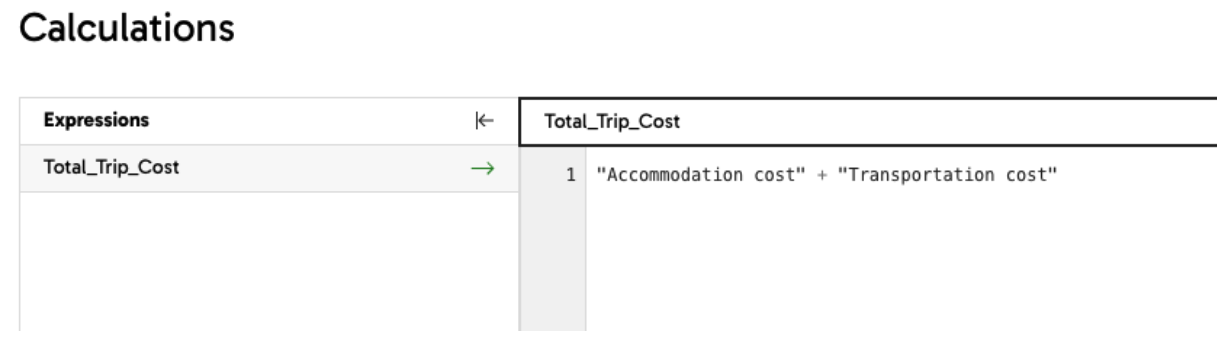

4. Verification: Users can sample the transformed data at various stages to confirm correctness, ensuring the pipeline aligns with their business goals.
*At the final stage, sampling the data reveals successfully categorized age groups and calculated costs in the output.

Debugging with Copilot
Copilot’s debugging capabilities are equally impressive. For example, when a validation error occurs due to incorrect SQL syntax, users can:
1.Click on the component generating the error.

2. Ask Copilot for assistance to identify and fix the issue.

3. Receive corrected SQL code, such as changing “BETWEEN 0 - 17” to “BETWEEN 0 AND 17.”


Additionally, Copilot provides detailed explanations for its corrections, helping users understand the root cause of errors and building their confidence in resolving future issues. After these corrections, the pipeline validates successfully, demonstrating Copilot’s role in reducing errors and saving time.
Key Benefits of Copilot
1.Component Recommendations and Configuration Assistance: Copilot suggests and configures the best components for your pipeline, bridging the gap for users with limited experience in ELT tools or coding.
2. Increased Efficiency: Building pipelines with Copilot is significantly faster. In tests, creating the example pipeline above manually took ~4 minutes, whereas Copilot completed the task in ~30 seconds. This time saving comes from:
- Automated selection and configuration of components.
- Accurate generation of SQL code.
- Streamlined administrative tasks like naming components and columns.
3. Coding Assistance: For those struggling with expressions, Copilot generates or corrects SQL code, particularly in transformation components like the Calculator. It also provides context-sensitive guidance, ensuring users learn and improve their coding skills over time.
4. Enhanced Collaboration: Copilot’s ability to document its steps and provide clear explanations fosters collaboration within teams. Members can review the pipeline’s structure and purpose, ensuring transparency and ease of knowledge transfer.
Importance for Teams and Organisations
For teams with members new to Data Engineering, Copilot minimizes the need for extensive technical handovers. It accelerates the delivery of business-ready data and actionable insights. By reducing technical barriers, Copilot empowers teams to focus on strategic decision-making rather than wrestling with code.
Moreover, Copilot enhances organizational agility by enabling faster onboarding of new team members and reducing reliance on highly specialized technical expertise. Teams can adapt quickly to new challenges, delivering value more effectively.
Stay tuned for the next part of this blog series, where we delve into Matillion’s Auto-Documentation and Collaborative Features, exploring how they enhance workflows for large data teams and facilitate seamless handovers for less technical users.

Isabelle Ng
Associate Data Engineer

Featured Resources
The Agentic Advantage Series: Part 3
Join John Tentomas, CEO of Nature’s Touch, as he shares how the team redesigned data engineering with AI agents in the loop.
VideosThe Agentic Advantage Series: Part 2
The CTO of Addition Wealth and the VP of Digital Transformation & Analytics at Precision Medicine Group will discuss how they ...
VideosThe Agentic Advantage Series: Part 1
Hear from senior leaders, real customers, and Maia experts on how agentic AI is unlocking capacity and accountable outcomes.
Share: