- Blog
- 05.02.2023
- Dev Dialogues, Data Productivity Cloud 101
Connecting Matillion Data Loader to Snowflake: A Guide
This guide is a walk-through of how to connect Matillion Data Loader (MDL) to a Snowflake cloud data platform account.
In MDL, the metadata for connecting to Snowflake is held in an artifact known as a Destination. This guide will walk you through how to configure an MDL Destination.
Prerequisites
The prerequisites for connecting Matillion Data Loader to Snowflake are:
- Access to Matillion Data Loader
- Permission to create and edit MDL Destinations
- Snowflake credentials:
- Snowflake account identifier
- Snowflake username, plus its password or private key
Your chosen Snowflake user must have at least the following privileges:
- USAGE on a Virtual Warehouse
- Write access to a schema in a database
This Matillion guide to configuring Snowflake as a destination has a SQL script you can use for automation.
Snowflake account identifiers
The preferred way to uniquely identify a Snowflake account is to use your Organization name and your Account name.
| Your unique Snowflake account identifier is the two identifiers separated by a hyphen: ORGNAME-AccountName |
If you are using Snowsight, you can find your Organization name and Account name in the Organization area, as highlighted in the screenshot below. 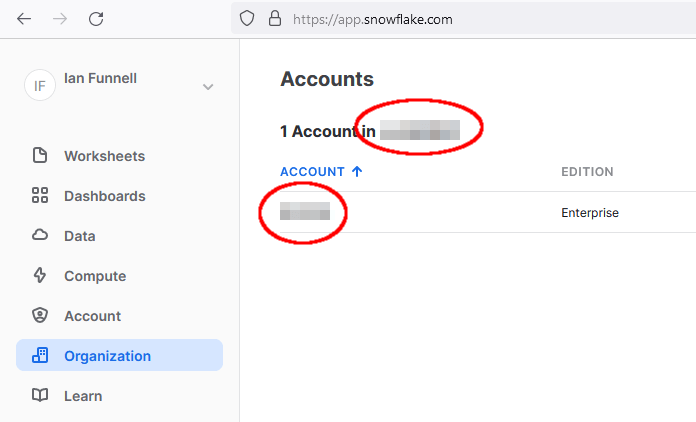 If you are still using the Snowflake classic web interface, you can find your Organization name and Account name under your login name at the top right of the screen, as highlighted in the screenshot below.
 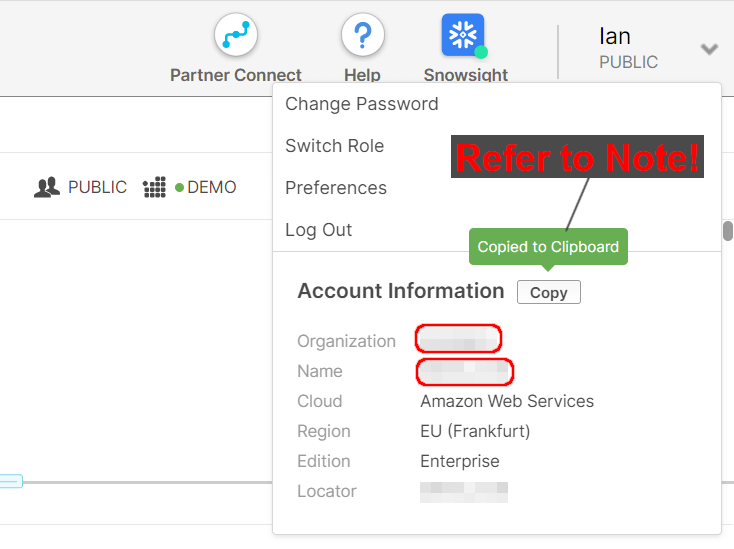 Note that the "Copy" button in the classic web interface saves your ORGNAME and AccountName separated with a period (.) not a hyphen. You must change it and use a hyphen to separate the two names.
If you are using a third party SQL client, you can find your Organization name and Account name by running a SHOW ORGANIZATION ACCOUNTS query.  This query requires access to the ORGADMIN role. If you do not have this, ask your Snowflake account administrator for the details.
Some Snowflake Organizations have multiple Accounts. You can always find your Account name by using the CURRENT_ACCOUNT Snowflake function in a SQL query.
Legacy Snowflake account identifiers
There is an older, alternative method that also uniquely identifies a Snowflake account. This is to use your account locator, plus a region and a cloud identifier.
The easiest way to find these identifiers is also to run a SHOW ORGANIZATION ACCOUNTS query. The information you will need is shown in the account_locator_url column, between the https:// and the snowflakecomputing.com part. 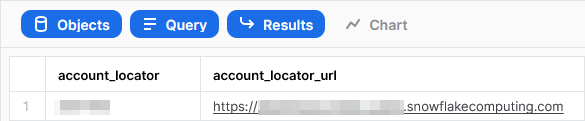
How to create a Matillion Data Loader Destination to Snowflake
While following this section you can also watch this short video demonstration.
Start by using the selector at the bottom right of the Matillion Data Loader screen to set the Region you want to work in. 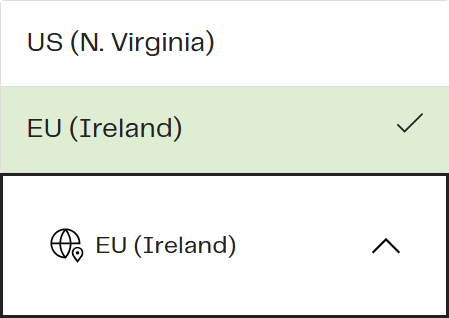 There are two ways to reach the Destinations screen: while building a pipeline, and with a direct URL.
While building a pipeline, you will come to a screen that offers the choice of using an existing destination or adding a new one. 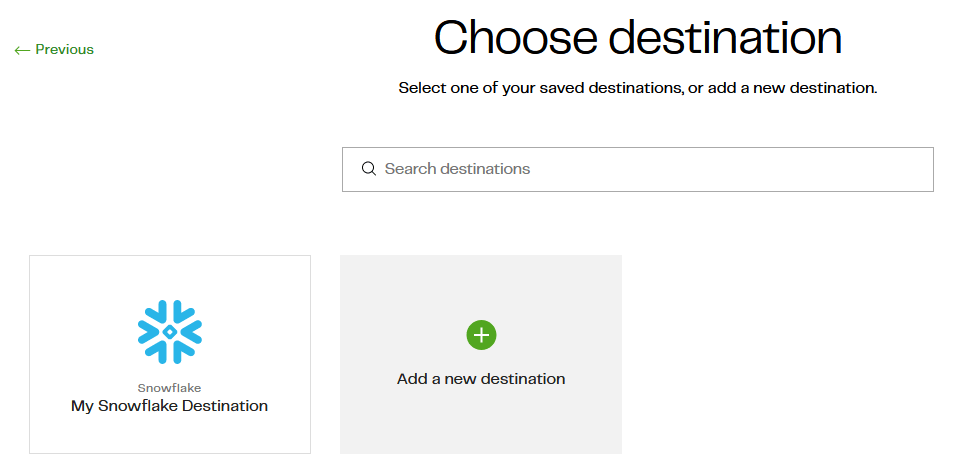 You may prefer to go to the Destinations screen from the menu, through Data Loader > Manage > Destinations.
 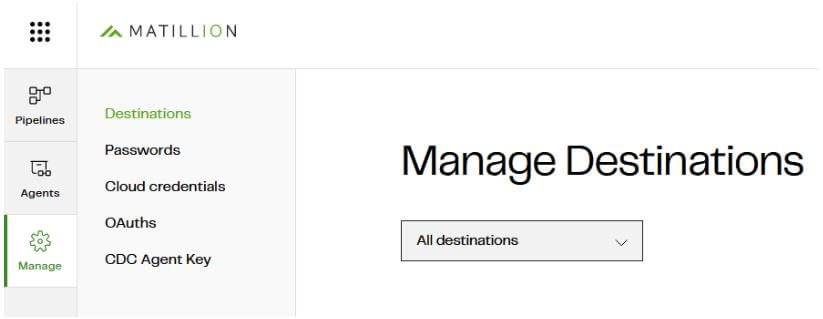 Once in the Destinations screen, press the Add (+) button to add a new Snowflake destination.
- Set the Destination Label. You will need to use this in future whenever you build a pipeline, so choose a distinctive phrase.
- Set the "Account" to the combination of your Organization name and Account name, separated by a hyphen.
- Set your Snowflake username, and either a managed password or a private key.
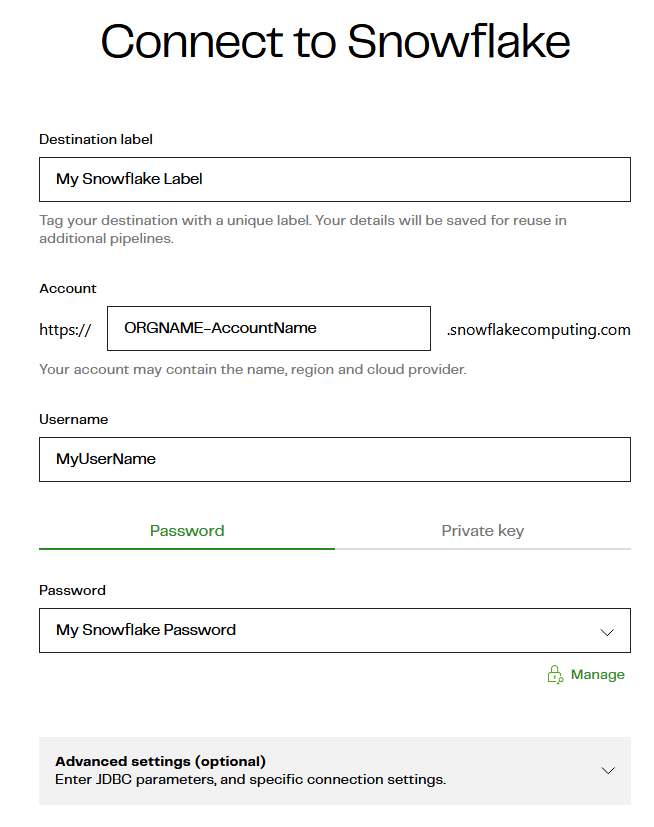 You may also choose to add Advanced Settings to set individual JDBC driver connection parameters. In most cases you will not need to use Advanced Settings.
When you test the connection, you may see an error message Connection failed. Check if you have entered the correct details. 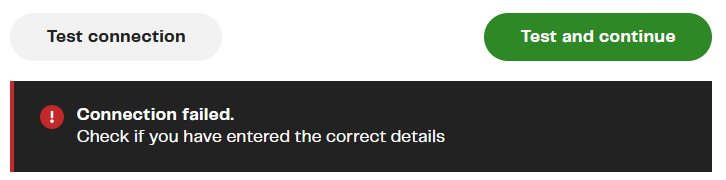 If the error message appears almost immediately, it is likely that the Account is not correct.
If the dialog shows a spinner for five or ten seconds before the error message appears, it is more likely that your login credentials are not correct, or the user is insufficiently privileged.
Once you have successfully passed the connection test, you will need to supply a Default Role, Virtual Warehouse, Database and Schema.
The prompts cascade, so start at the top and work downwards. 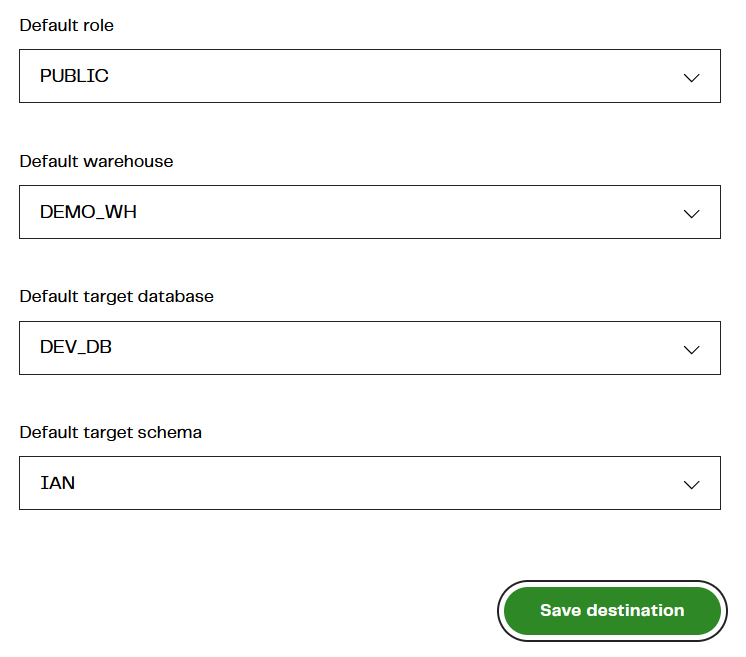 If any of the prompts are blank, and you cannot select a value, it means that your Snowflake user is insufficiently privileged.
Connectivity metamodels for Matillion Data Loader and Snowflake
Matillion Data Loader stores Snowflake connection details inside a Destination object. It contains the Snowflake account identifier and username, plus the security credentials, for example a password or private key. 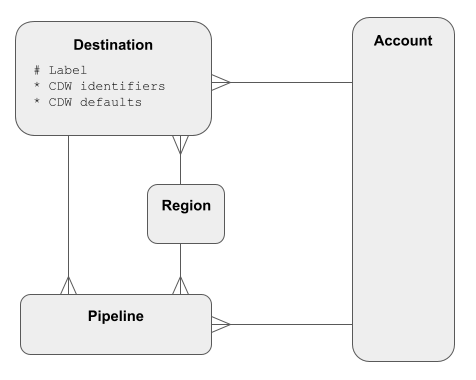 Many pipelines can use the same Destination as a target for the extracted data.
For Snowflake, the core administrative entity is the Account. Multiple accounts can be managed by one Snowflake Organization, although in many cases there is just one. 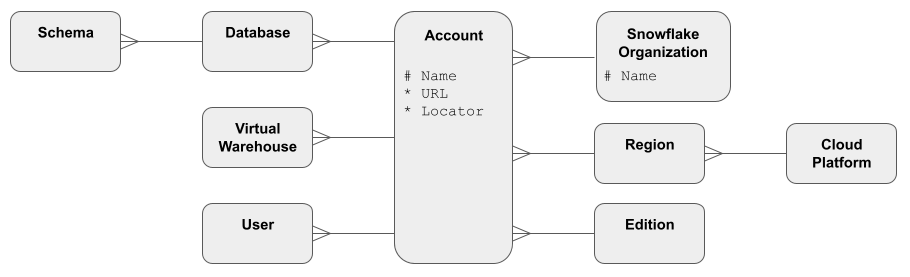 Every Snowflake account can be uniquely identified by a combination of either:
- Organization Name + Account Name (preferred), or
- Locator + Region + Cloud
Learn more about using Matillion Data Loader and Snowflake
Try Matillion Data Loader today for free. Once you register, you can load up to a million rows of batch data for free every month.
To experience the ease-of-use and power of Matillion Data Loader, take a product tour in our interactive demo.
Once you’ve connected Matillion Data Loader and Snowflake, you can start to build pipelines that copy data into Snowflake on a regular schedule. Copying (or co-locating) data is the first step in every data transformation and integration methodology.

Andreu Pintado
Featured Resources
What Are Feature Flags?
Feature flags are a software development tool that has the capability to control the visibility of any particular feature. ...
BlogHow Your Data Teams Can Do More With Marketing Analytics
Improve your marketing analytics with Matillion Data Productivity Cloud that enables businesses to centralize and integrate ...
BlogThe Importance of Data Classification in Cloud Security
Data classification enables the targeted protection and management of sensitive information. Personally Identifiable ...
Share: